xecli


XeCLI is a beta terminal-first Xbox 360 RGH/JTAG toolkit for live console work with XBDM, JRPC2, FTP, XeLL-backed NAND dumping, XEX tooling, memory inspection, content workflows, reverse-engineering helpers, and the beta XeTerminal custom interface.
The repository and product name are XeCLI. The installed terminal command is rgh.
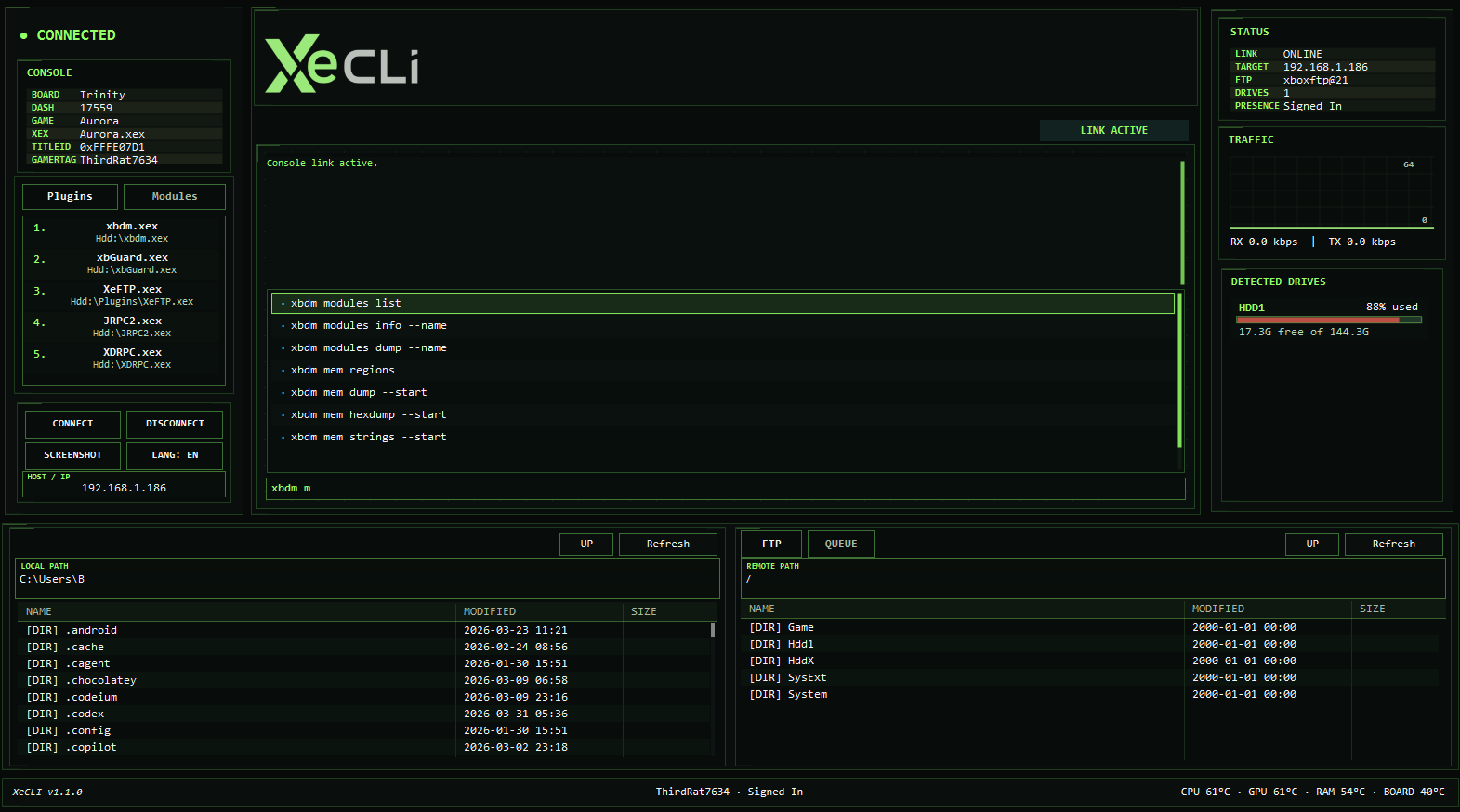
Portable and installed builds also ship the beta XeTerminal.exe launcher, which opens the custom XeCLI interface directly when launched with no arguments.
XeCLIandXeTerminalare both currently shipped as beta surfaces in thev1.11.0cycle.
What XeCLI Covers
- Live console status, title resolution, module inspection, memory inspection, thread control, screenshots, and debug helpers
- File-system and FTP workflows for browsing, transfer, search, save handling, plugins, and console content staging
- XeLL-backed keyvault export, CPU key capture, startup-log capture, and verified read-only NAND backup
- Local XTAF/FATX disk and image workflows with Windows disk enumeration, header scan, manual offset/length open, metadata backup/restore, safe repair, and raw partition export
- Local content tooling for CON, profile, GPD, and XDBF inspection and mutation
- Reverse-engineering helpers for Ghidra and IDA, plus XEX dump, decompile, and analysis flows
- Homebrew, dashboard, compatibility-pack, and USB staging workflows
v1.11.0 Focus
- Fixed XeTerminal terminal-output scrolling so mouse wheel, custom scroll-bar click/drag, and scroll-position preservation work during live output.
- Added live module address translation with
rgh modules address --name <module> --rva <addr>and Ghidra mapping via--ghidra <addr> --ghidra-base <addr>. - Added module/RVA/Ghidra address support directly to
debug breakanddebug databreakcommands. - Added XeTerminal quick actions with
Ctrl+K, command history search withCtrl+R, and history navigation with Up/Down. - Added scheduled UI stability checks to improve XeTerminal reliability.
v1.1.0 Highlights
- Fixed false-zero live memory reads so
rgh mem peek,rgh mem hexdump, and small memory dumps agree on the same target data - Added verified memory writes so
rgh mem pokeand freeze loops fail on rejected or mismatched writes instead of printing false success - Hardened debugger control so
rgh debug stop,rgh debug go, breakpoints, and data breakpoints only report success when XBDM accepts the command - Expanded the beta
XeTerminal.exelauncher with the custom shell UI, live console/session panels, integrated FTP/file manager workflows, clickable versioning, and live suggestion handling - Added native Discord Rich Presence integration with quiet state updates for connected and disconnected console sessions
- Fixed screenshot capture so XeCLI can save correct
.pngoutput, auto-trim the corrupted right-edge strip on affected frame buffers, and use title-based filenames from XeTerminal - Added self-contained portable release assets for both
win-x64andwin-x86, plus a universal setup installer
Quick Start
.\XeCLI-1.11.0-setup.exe
rgh --help
rgh language --set es
rgh nand dump --ip <console-ip> --yes
Portable zip users can run rgh.exe directly from the extracted win-x64 or win-x86 release folder. If you prefer the beta GUI launcher, open XeTerminal from the Start menu or run XeTerminal.exe directly. The installer registers rgh, adds the selected install to PATH, creates the XeTerminal Start menu shortcut, offers an optional XeTerminal desktop shortcut, and persists the initial UI language selection on supported Windows installations.
Documentation
- GitHub Wiki
- Wiki Home
- XeCLI-XellFetch
- XTAF / FATX Manager
- Commands Reference
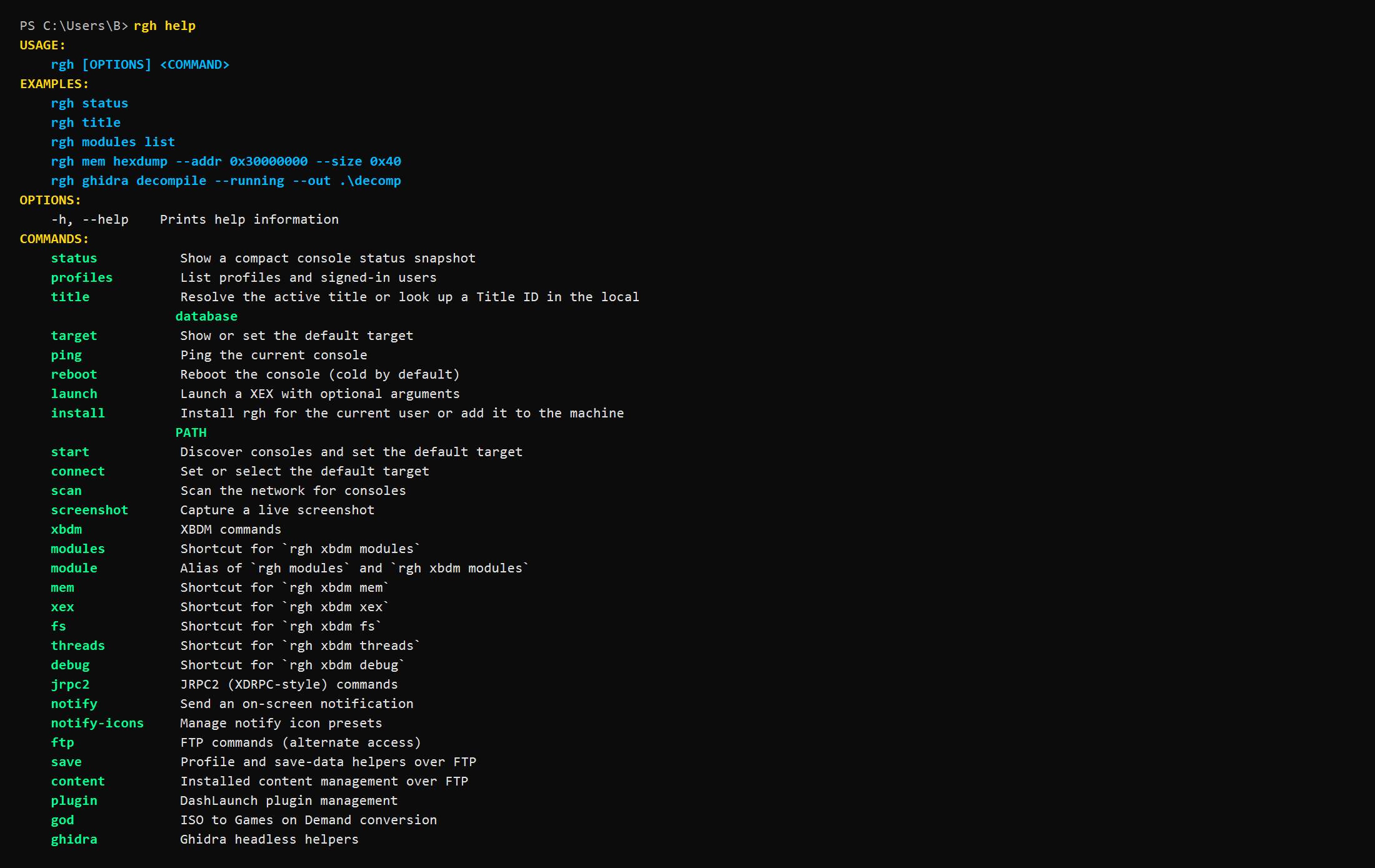
- CLI Help Output
- Beginner Guide
- Advanced Guide
- Reverse Engineering
- Integrations
- Troubleshooting
Tooling Notes
Ghidra is an external (Free) dependency. XeCLI’s supported Ghidra XEX import path uses the maintained SaveEditors/XEXLoaderWV fork.
The IDA workflow is pinned to IDA Pro 9.1.250226 with idaxex 0.42b.
Why XTAF Matters
XeCLI’s rgh xtaf surface is not limited to browsing normal Xbox 360 HDD images. The standout workflows are:
- Direct Windows physical-disk inspection alongside normal
.imgand.bininputs - FATX/XTAF header scan plus manual
--offsetand bounded--lengthopens for unusual or partial images - Retail-layout FATX formatting for blank or recovered Xbox 360 HDD images
- Low-level metadata backup and restore for disk-prefix and partition-header regions before risky work
- Safe chain-map audit and repair for orphaned allocation issues
- Raw partition dump and tree extraction workflows for recovery or analysis
rgh fatman and rgh fatx still work as compatibility aliases, but rgh xtaf is now the primary disk and image command surface.
Standalone Payload Repo
The standalone XeCLI-XellFetch repo is published at github.com/SaveEditors/XeCLI-XellFetch. It packages the custom xell.bin, XellLaunch, and QuickBoot assets for operators who want the XeLL-side payload with or without the full XeCLI desktop workflow. XeCLI integrates with that workflow, but the standalone bundle is released from its own repo.
Release Notes
Screenshots